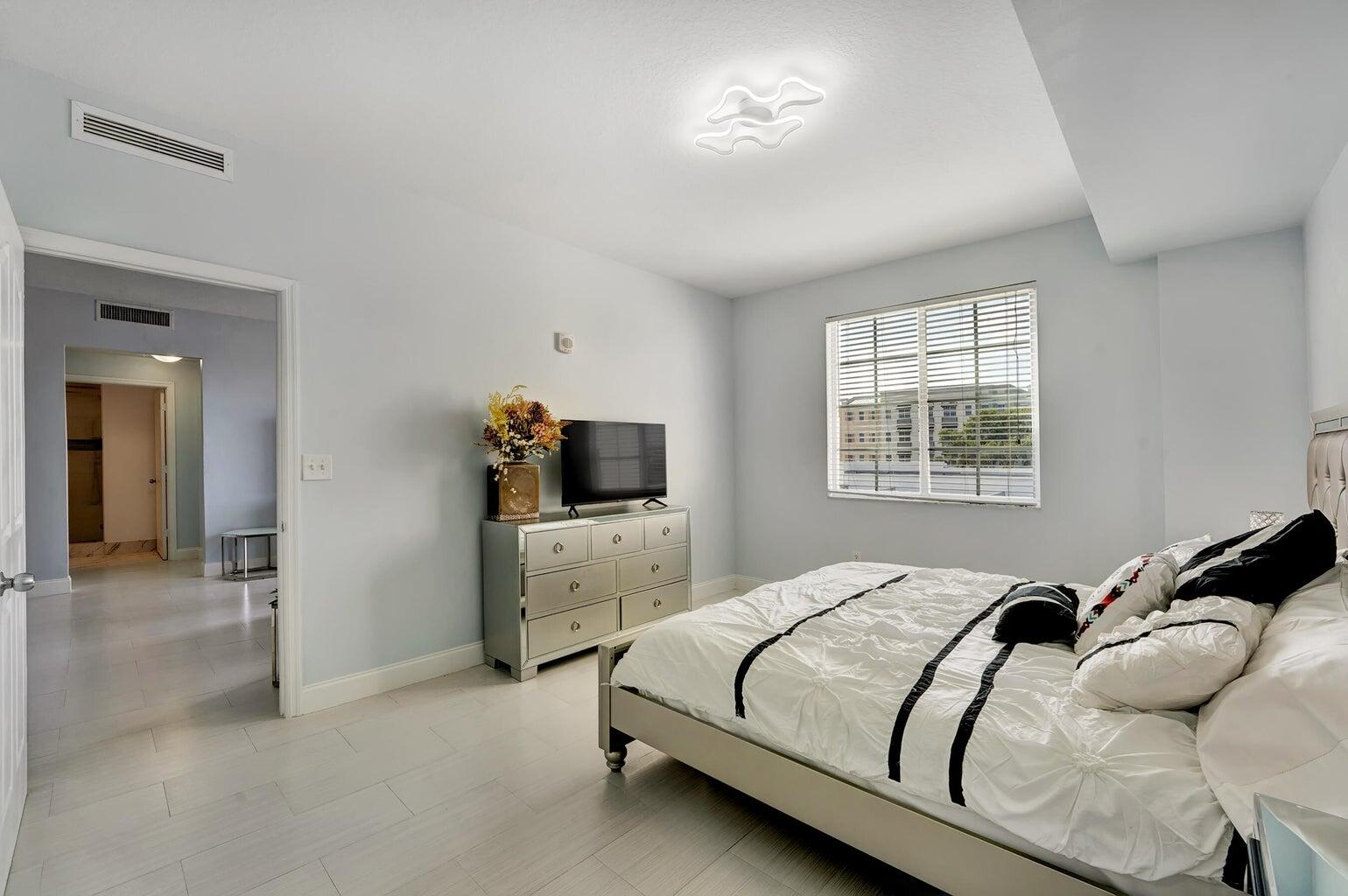
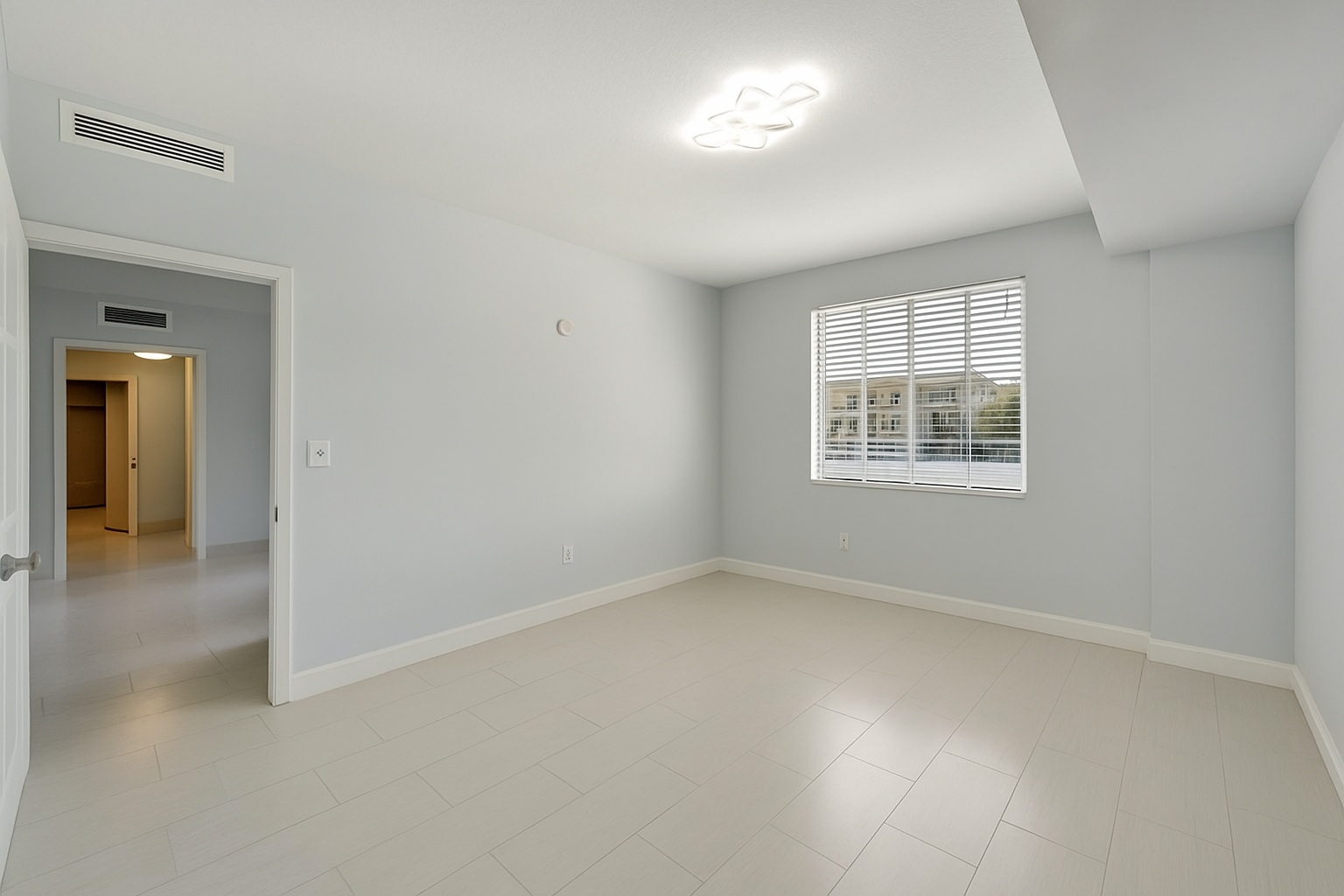
Occupied room to empty room
Remove furniture while preserving the space
Turn a furnished listing photo into a cleaner blank-canvas version without reshooting the property.
ReelStaged Studio for Agents and listing photographers
Turn occupied listing photos into clean blank-canvas visuals without manual editing.
AI unfurnish workflow
Some rooms need fewer distractions before buyers can understand the space. ReelStaged Unfurnish creates a clean vacant-room version you can use directly or stage with a new look.
Occupied room to empty room
Turn a furnished listing photo into a cleaner blank-canvas version without reshooting the property.
Blank canvas for staging
When the current furniture is dated, distracting, or mismatched, unfurnish first and stage the room from scratch.
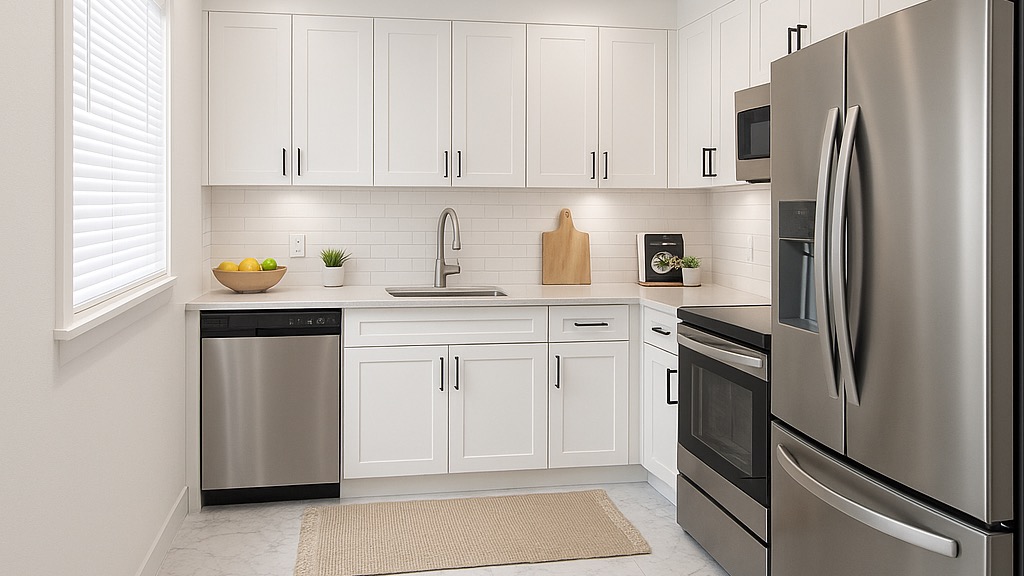
Generate listing-ready visuals in under a minute so you can publish and market faster.
Virtual staging, unfurnish, declutter, renovation, twilight, and enhancement in one workflow.
Designed for listing photos, client presentations, before/after communication, and social promotion.
Search coverage
ReelStaged keeps this page focused on practical property marketing intent instead of generic design inspiration.
Upload your room photo and Unfurnish mode creates a vacant-room version while preserving the walls, flooring, windows, and overall room structure.
Use Unfurnish when you want a completely empty-room version. Use Declutter when you want to keep the furniture but remove small distractions.
Yes. Many users unfurnish first, then apply virtual staging to create a polished styled version.
No. The workflow is built for non-designers and takes just a few clicks.
Best-fit use cases
This page is intentionally different from declutter. Declutter keeps the room lived-in but cleaner. Unfurnish creates an empty version of the room for marketing, staging, or seller conversations.
Remove heavy, dated, or mismatched furniture so buyers judge the room instead of the seller's taste.
Create cleaner marketing images when a rental or Airbnb has existing furniture that does not match the target audience.
Use furniture removal before virtual staging when you want a fully refreshed design direction.
Offer unfurnish edits as a clear upsell when agent clients need vacant-room alternatives.
Workflow clarity
Declutter removes distractions while keeping the room mostly furnished. Unfurnish removes furniture to create a vacant-room version.
Unfurnish creates the empty room. Staging adds new furniture and style back into the space. Many listing workflows use both.
Manual furniture removal can be slow and expensive. AI unfurnish is built for quick listing-photo versions and package add-ons.
Unique keyword lane
The staging page targets furnished transformations. The declutter page targets removing small distractions. This page targets users who need a clean empty-room version from an occupied photo.
Three-step workflow
Start with the existing bedroom, living room, dining room, office, or rental photo.
Generate a vacant-room version that keeps the architecture and removes distracting furniture.
Download the empty-room asset or send it into virtual staging for a fresh furnished concept.
Create a cleaner version